Adlib
Leading collections management software
Adlib has evolved into Axiell Collections
New CEO for Axiell – accelerating industry leadership through improved access to world’s collective knowledge!
New CEO for Axiell – accelerating industry leadership through improved access to world’s collective knowledge!
Adlib has evolved into Axiell Collections
For over 30 years the Adlib development team has created market leading collections management software. In recent years it became clear that modern cultural institutions require more flexible and accessible software that can be managed through the web and accessed away from the desk.
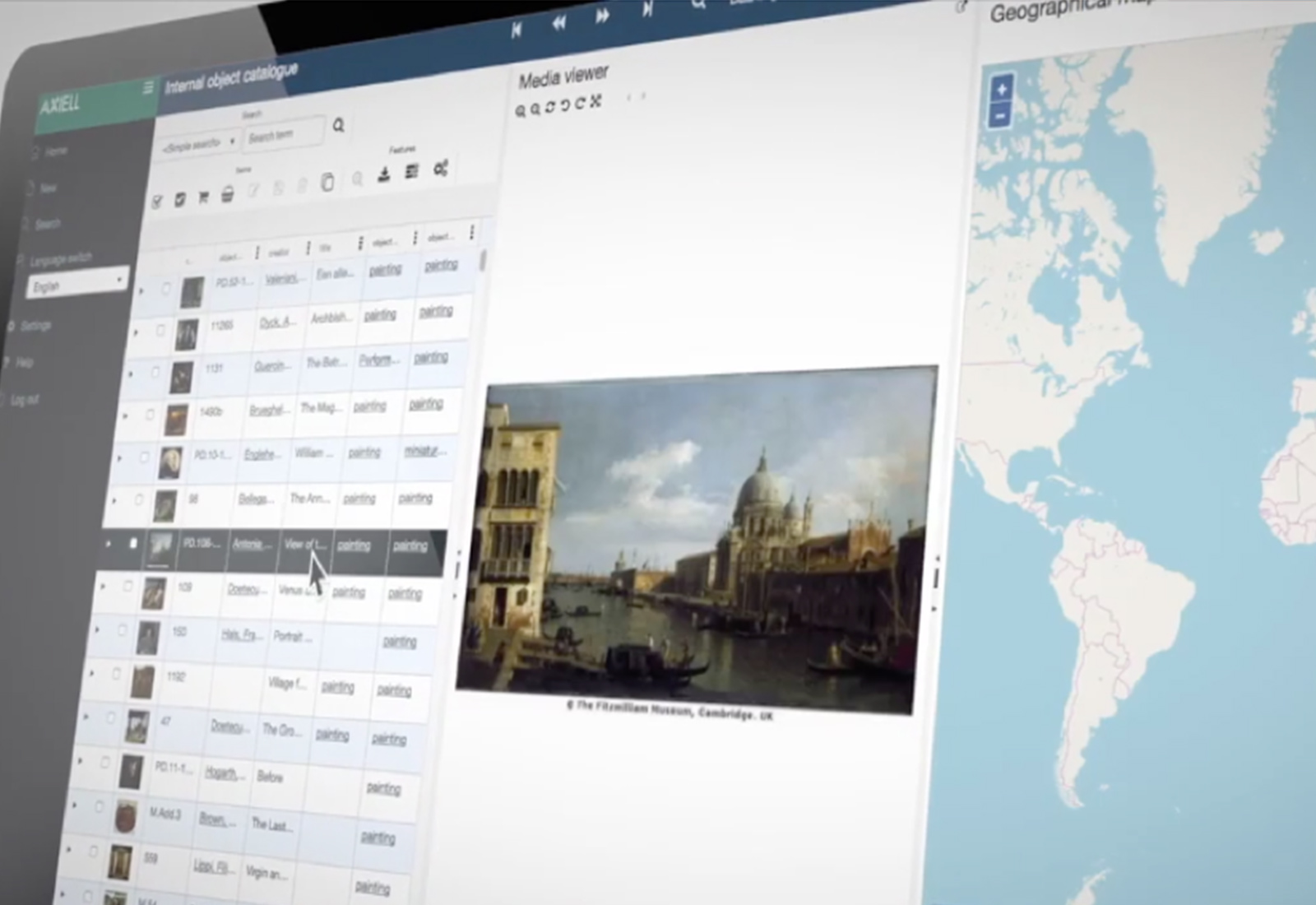
To address this need the Adlib development team took the best of the Adlib software and evolved it into modern, web-based software for existing and new customers alike. We named this new and improved version Axiell Collections.
Boasting all the features that have made Adlib popular throughout the years, but with a modern web-based interface, Axiell Collections represents the next generation of collections management software.
It’s a huge benefit that we can work remotely. We are not dependent on the hardware that is stored in the Museum. I can also give other people access, such as volunteers and students of the Reinwardt Academy, who will help out with the upcoming collection management tasks. One intern recently had an accident and could only work from home. With Axiell Collections she can still do her job thanks to the online service.
Learn more about the benefits and features of Axiell Collections, and view demo videos of the software.
We continue to offer full support, training and services to all of our Adlib customers. Adlib users are a large and integral part of our Axiell customer community and play an active part in our events and activities.
As more Adlib customers upgrade to Axiell Collections the user base will gradually become our Axiell Collections user base.
Ben Doty will cover Adlib FAQs and what you need to upgrade to Axiell Collections....
Read moreRene van den Heuvel presents an informative webinar about the switch from Adlib to Axiell...
Read moreWatch: Using Excel Lookups to Populate an Adlib Import, Live from the Axiell Virtual User...
Read moreWatch: Adlib Tips & Tricks, Live from the Axiell Virtual User Conference Presented by Ben...
Read moreWatch the Adlib & Axiell Collections Roadmap, Recorded Live from the Axiell Virtual User Conference...
Read moreOne of the features that will make Axiell Collections users more independent from their suppliers,...
Read moreAfter working with Axiell Collections for 6 months, Vivian van Slooten, Assistant Registar, shares her...
Read moreThe association for Swiss textile history needed a system to manage individual items in their...
Read moreThe Ray and Diana Harryhausen Foundation care for the substantial collection left by legendary stop-motion...
Read more